Halloween Boy AI Photo Prompts
Two strong Halloween looks for boys, ready to copy. Each prompt below is built to work with your own uploaded photo in ChatGPT or Gemini, so your face, skin tone and features stay exactly yours while the makeup, outfit and scene change around you. One walk through a foggy night bazaar as a zombie, one full moon transformation in the forest. Copy a prompt, paste it with your photo, and your Halloween post is ready in under a minute.

Why These Two Looks Work So Well
Both prompts keep the horror theatrical instead of gory. The makeup does the scary part, pale face paint, dark eyes and wild hair, while your real features stay untouched underneath, so the result still looks like you and not like a stranger in a costume. The scenes are chosen for contrast. Green mist and warm shop lights make the zombie look glow, and silver moonlight gives the werewolf look its wild edge. Two very different moods from just two prompts, one for a feed post and one for a profile picture.
1. Zombie Bazaar Walk

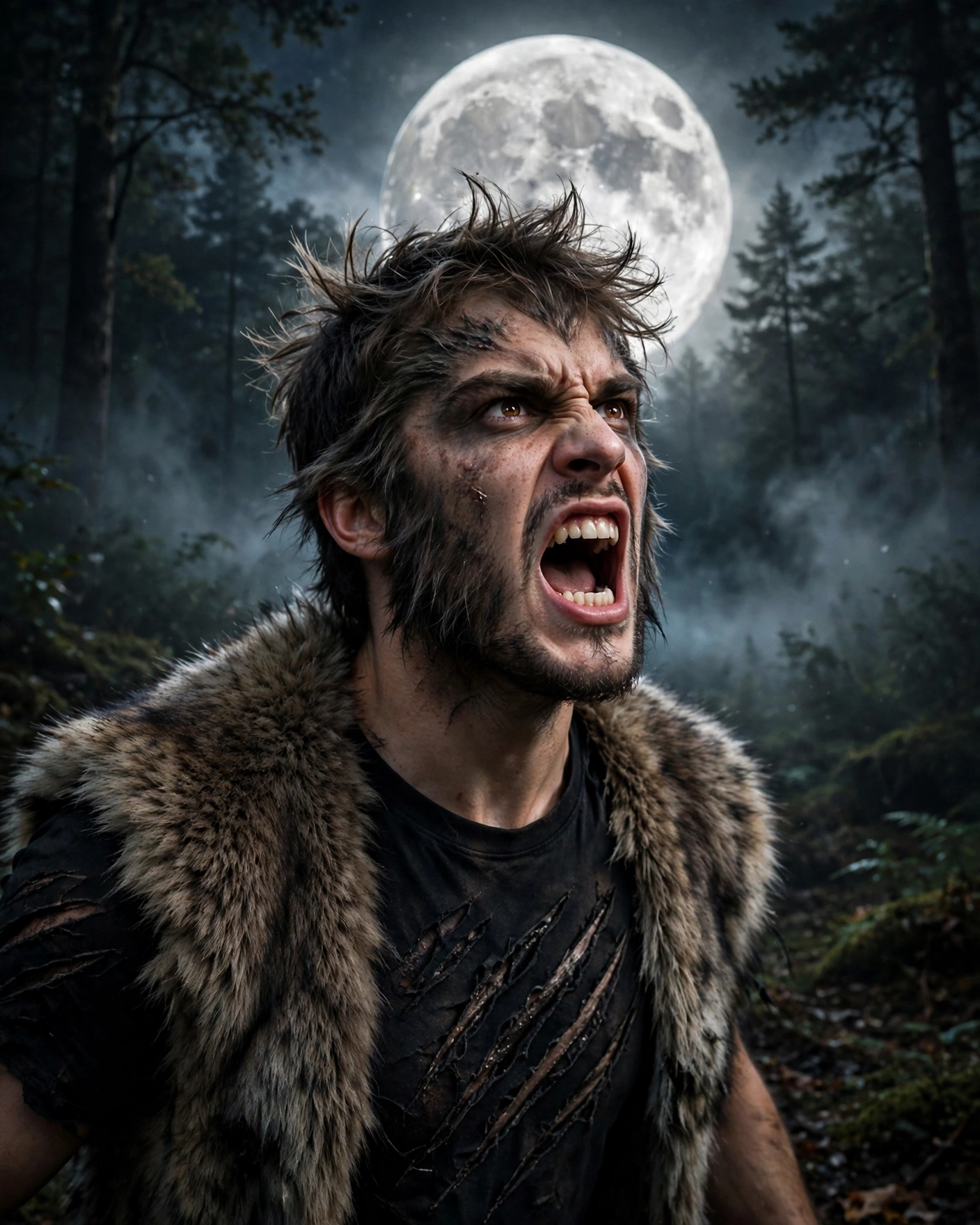
2. Werewolf Full Moon
The Zombie Look, Explained
The zombie prompt builds the look in layers. The face paint comes first, pale and flat, with dark makeup pressed around the eyes so they look deep and tired. The outfit stays dark and torn at the edges, nothing bloody, which keeps the photo stylish instead of shocking. The bazaar setting does the rest of the work. Green mist softens the shop lights behind you, and the wet ground reflections make the whole frame feel like a film still.
The Werewolf Look, Explained
The werewolf prompt is careful about one thing above all, your face stays in the middle, fully yours. The wild elements sit around the edges, the fur vest, the claw marks on the shirt and the untamed hair, so the transformation reads clearly without hiding who you are. The growl pose and the huge full moon behind you give the photo its energy, and the silver light keeps every detail sharp even in a dark forest scene.
Small Details That Make the Result Stronger
Start with a clear, front facing photo in good light, because both prompts copy your features exactly and a sharp source photo gives a sharp result. Plain backgrounds in your original photo help the tool rebuild the scene cleanly around you. If the first result softens your face, generate once more with the same prompt rather than editing the words, because these prompts are already balanced to protect your features. Save the vertical 4:5 version for your feed and a tighter crop for your profile picture.
Post Both: The Double Post Idea
You made two looks, so do not bury one of them. Post the zombie walk on your feed in the early evening, when the bazaar lights in the photo match the hour outside. Then set the werewolf shot as your profile picture on the same night, so anyone who taps through from the post meets the second character. One photo starts the story, the other finishes it, and the pair looks planned instead of random.